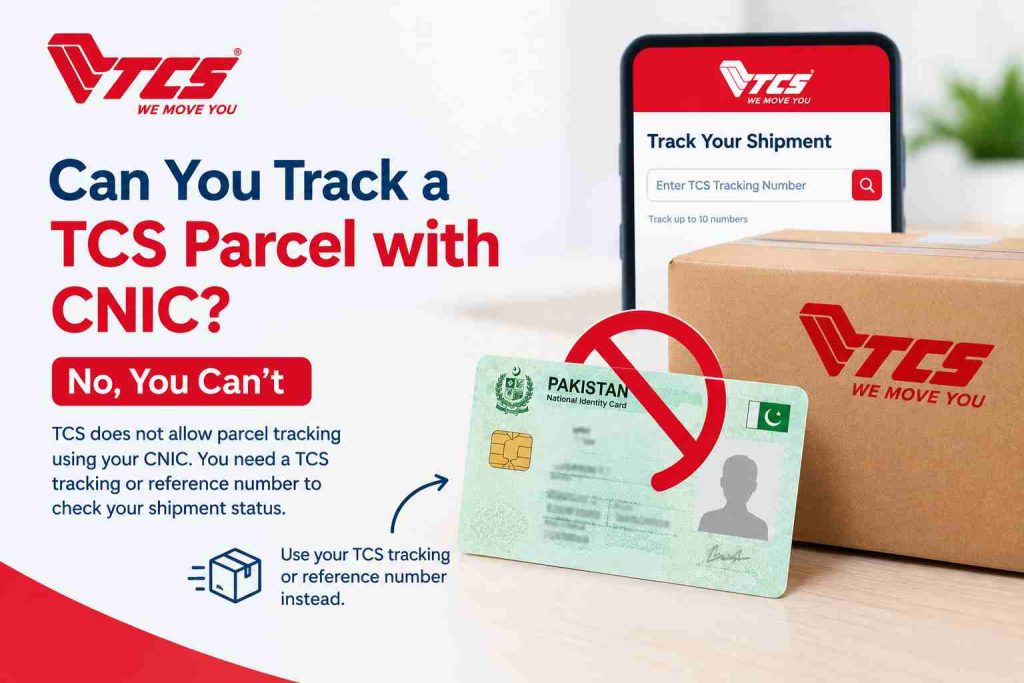

To track a TCS courier, you need its tracking number, also called the consignment note (CN) or airway bill number. Enter that number in the TCS tracking tool or on the official TCS tracking page, and you’ll see the latest recorded status of your shipment, such as booked, in transit, out for delivery or delivered. TCS automatically assigns a tracking number to every shipment it books, and uses that number to identify and track it. So if the shipment was booked with TCS, a number exists. Your job is to find it and enter it correctly. This guide covers where to find the number, what each status means, what to do when tracking shows nothing, and how to spot fake TCS calls and messages.
How to track your TCS courier online
Find your TCS tracking number
If you sent the parcel yourself, the number is printed on the booking receipt you got at the TCS counter. If someone sent it to you, such as an online store, a relative or a university, ask them for it. Many online sellers share it by SMS, email or in the order details page once the order is dispatched.
Open the tracking page
You can use the TCS tracking tool on tcstrack.com or the official TCS courier tracking page. Both ask for the same thing: the shipment’s tracking number.
Enter your tracking number
Type the number exactly as it appears on your receipt or message. Don’t add spaces, and don’t drop any zeros at the start. If you copied it from an SMS, check that no extra characters came along with it.
Check your shipment status
After you submit the number, you’ll see the shipment’s tracking history. The most recent entry tells you where things stand. According to TCS’s customer service information, a tracking result can include the delivery status, delivery date and time, delivery location, shipment date, service type and weight. Not every order will show every field. Our guide to what your TCS tracking result shows explains each field. For a longer walkthrough, see how to track a TCS shipment.
Quick reference: what to do with the number you have
| What you have | What to do |
|---|---|
| TCS tracking or CN number | Enter it in the tracking tool |
| Airway bill number from a TCS receipt | Enter it; it’s the same identifier |
| Order number from an online store | Ask the seller for the TCS tracking number |
| No number at all | Contact the sender first, then TCS |
| A number that shows no result | Recheck it, confirm booking, then try later |
What is a TCS tracking number or CN number?
TCS uses three names for the same thing: tracking number, airway bill number and consignment note number. CN is short for consignment note. TCS describes this number as the identifier for every delivery as it moves through its network to the destination. The number people most often confuse it with is the order number. When you buy from an online store, the store gives you an order number for its own records. That number belongs to the store’s system, not TCS’s. If you enter a store order number in TCS tracking, you’ll usually get no result. You need the courier tracking number the seller received when they booked the parcel with TCS. More detail is in our page on the TCS tracking number.
Where can you find your TCS courier tracking number?
Look in these places, roughly in this order:
- The TCS booking receipt, if you or someone you know booked the order at a TCS counter.
- The dispatch SMS or email from the online seller.
- The order page on the seller’s website or app, often labelled tracking ID or consignment number.
- The shipping label on the package itself, if you already have it in hand.
- The sender, if none of the above shows the number.
If you’ve lost a receipt for a parcel you booked, TCS customer support can help, but have your booking details ready: date, sender and receiver city, and receiver name.
What do TCS courier tracking statuses mean?
The exact wording on the tracking screen can vary between domestic and international shipments and between TCS services. The table below gives plain meanings for the common ones. Only Out for Delivery is defined word for word in TCS’s published FAQs; the rest describe what the status generally indicates in the order’s journey.
| Status | What it usually means |
|---|---|
| Booked | TCS has registered the shipment in its system |
| Shipped / Dispatched | The order has left the origin and entered the delivery network |
| In Transit | The package is moving between TCS facilities or cities |
| Out for Delivery | The shipment is on its way to be delivered that day |
| Delivered | TCS has recorded the parcel as delivered |
| Returned | The package is going back to the sender, often because of an address or delivery problem |
Delivered means TCS has recorded a delivery. If it says delivered and you don’t have the parcel, check with family members, neighbours or your building’s reception first, then contact TCS the same day. Our guide on TCS delivered but not received walks through the next steps. Returned is worth reading closely. The tracking history often shows a reason next to it, such as an incorrect address or the receiver not being available. That reason tells you whether to contact TCS, the sender, or both. See TCS return tracking for how returns work, or the full list of TCS tracking statuses.
Is TCS live tracking available?
Not in the sense most people imagine. The public TCS tracking page doesn’t show a moving map of the rider’s location. What it shows is a list of recorded events. TCS captures shipment movement information each time its staff scan the tracking label during transit. So when you search for TCS live tracking, what you get is the latest scan: when the package was booked, when it arrived at a facility, when it went out for delivery, and so on. This matters when you read the status. If your parcel says In Transit since yesterday morning, it doesn’t mean it has been sitting still for a day. It means no new scan has been recorded since then. The package may be on a truck between cities.
How to track a TCS international shipment
You track an international TCS delivery the same way: enter the tracking number on the tracking page. The difference is in how much detail you’ll get. TCS says it provides delivery details for all domestic shipments, but for international shipments it gives delivery status for major destinations only. Where a order is on-forwarded or handed to a third party for delivery, TCS says it can’t provide accurate delivery details. In practice, an international parcel may show full updates while it’s in the TCS network, then fewer updates once it reaches the destination country and passes to a local delivery partner. If that happens, ask the sender whether a local carrier’s tracking number was issued for the final leg. Read more in TCS international tracking.
What if your TCS tracking number is not working?
A no record found or invalid number message usually comes from one of a few causes. Work through them in order.
Check the number itself. Compare it digit by digit with the receipt or message. Look for a missing digit, a swapped pair, a dropped leading zero, or a space in the middle. If you typed it on a phone, the keyboard may have added a space at the end.
Make sure it’s a TCS number. A store order number, a payment reference or another courier’s number won’t work in TCS tracking. If the seller used a different courier, TCS won’t have a record.
Confirm the parcel was handed over. Sometimes a seller creates a booking and generates a number before the delivery is actually picked up. Until TCS physically receives and scans it, tracking may show little or nothing. Ask the sender whether the package has been handed to TCS.
Try again later. If the number is correct and the package was just booked, give it some time before assuming there’s a problem. TCS doesn’t publish a fixed time for when the first update appears.
Contact TCS. If the number still returns nothing after you’ve checked the above, contact TCS support with the tracking number. Our page on TCS tracking number not working covers more specific cases.
What if your TCS courier tracking shows no movement?
Because tracking is scan-based, a status that hasn’t changed tells you one thing only: no new scan has been recorded. It doesn’t tell you the delivery is lost, and it doesn’t tell you exactly where the package is. A few practical steps:
- Read the last entry carefully. The location and time of the last scan tell you which city or facility handled it most recently.
- Consider the route. A package going from Karachi to a smaller town may pass through more than one facility, and gaps between scans can be longer.
- Check with the sender, especially for online orders. Sellers often have a business account with TCS and may get faster answers.
- If there’s still no update after a period that seems unusual for your route, contact TCS with your tracking number.
There’s no official number of days after which TCS classifies a parcel as delayed, so use the sender’s promised delivery window as your reference point. For more, see TCS tracking not updating.
Can you track TCS without a tracking number?
Online tracking is built around the tracking number. Without it, the TCS tracking page has nothing to search for. If you don’t have the number:
- Ask the sender or seller. This is the fastest route in most cases.
- If the sender can’t help, contact TCS customer support and share whatever booking information you have, such as the sender’s name, the booking city and date, and the receiver’s name and address.
Can you track TCS by phone number, CNIC or name?
Some unofficial websites claim you can enter a CNIC, phone number or name and find any TCS parcel. We couldn’t find any official TCS source that offers this on its public tracking page, so don’t rely on those claims. There’s a difference between online tracking and support. Online tracking uses the shipment’s tracking number. TCS customer support may be able to look into a shipment using other details you provide, depending on its own procedures. For more on this, see TCS shipment tracking by CNIC.
TCS tracking and delivery safety
Fake order calls and messages are a real problem in Pakistan, and TCS’s name is sometimes used in them. The official TCS tracking page carries a warning about fraudulent calls and messages that ask for links to be clicked, payments, OTPs or personal information. TCS states that its riders call only to confirm your name and address. Keep these rules in mind:
- Never share an OTP with anyone who calls about a packagel. A courier has no reason to need it.
- Don’t click links in unexpected SMS or WhatsApp messages claiming your parcel is on hold.
- Don’t send money because a caller says a TCS package needs a fee to be released.
- If you’re told a parcel is coming, check the tracking number yourself on the tracking page.
- If you’re unsure, contact TCS through its official channels rather than a number given in the message.
Not every unexpected call is a scam. Riders do call before delivery. The warning sign is a request for anything beyond your name and address.
When should you contact TCS?
| Situation | What to do |
|---|---|
| Tracking updates normally | Keep checking online |
| Number shows no record | Recheck it, confirm with sender, try later |
| No movement for an unusually long time | Contact the sender and TCS |
| Marked delivered but not received | Check nearby, then contact TCS the same day |
| Returned due to address issue | Contact TCS and the sender |
| Suspicious call or message | Share nothing; verify on the tracking page |
TCS’s customer service page lists WhatsApp support at +92 21 111 123 456 and a contact form that asks for your consignment number. Keep your tracking number ready before you get in touch. Our TCS helpline and complaints page has more contact options, and you can find a TCS location near you if you’d rather visit a branch.
Frequently asked questions
How can I track my TCS courier online?
Enter your TCS tracking number (also called CN or airway bill number) in the tracking tool on tcstrack.com or on the official TCS tracking page. The result shows the latest recorded status of your shipment.
What number do I need to track a TCS shipment?
You need the TCS tracking number. TCS also calls it the consignment note number or airway bill number. A store’s order number won’t work.
Where can I find my TCS courier tracking or CN number?
Check your TCS booking receipt, the seller’s dispatch SMS or email, your order page on the seller’s site, or the shipping label. If you can’t find it, ask the sender.
Why is my TCS courier tracking number not working?
The most common reasons are a typing mistake, a missing leading zero, using an order number instead of a TCS number, or the package not yet being scanned by TCS. Recheck the number, confirm with the sender, then contact TCS if it still doesn’t work.
Can I track a TCS delivery without a tracking number?
Not through online tracking. Ask the sender for the number first. If that isn’t possible, contact TCS support with your booking details.
What does Out for Delivery mean in TCS tracking?
TCS says it means your shipment is on its way to be delivered that day.
Can I track an international TCS courier shipment?
Yes, using the same tracking number. TCS says delivery details for international shipments are available for major destinations only, and may be limited where a third party handles final delivery.
Does TCS provide live GPS tracking?
The public tracking page shows scan-based updates, not a live map. Each update is recorded when TCS staff scan the parcel’s label. Have your number ready? Enter it in the TCS courier tracking tool to see your parcel’s latest status. If the result doesn’t make sense, the TCS tracking FAQs and the guides linked above cover most of the problems readers run into. If your package is a cash on delivery order, see TCS COD tracking.