
The TCS tracking number is the number printed in the field labelled CN, Consignment Number, Consignment Note Number, Tracking Number or Airway Bill Number on your physical slip. On most receipts, look in the upper tracking section and near the barcode. The printed number next to or under the barcode is usually the one you need. TCS describes this number as the one it uses to identify and track shipments, and says every shipment it books is automatically assigned one.
Receipt layouts are not identical everywhere, so go by the label, not by position or length alone.
Where is TCS tracking number written on the slip?
A TCS receipt can show several numbers: the booking date, sender and receiver phone numbers, a weight, a charge amount, sometimes an order or reference number. Only one of them identifies the shipment in TCS’s system.
To find it:
- Look for a label such as “CN”, “CN No.”, “Consignment No.”, “Tracking No.” or “Airway Bill”. The number beside that label is the tracking number.
- Check the barcode area. The barcode is a machine-readable version of a shipment identifier, and the human-readable digits are normally printed right next to it. If those digits match the labelled CN field, you’ve found the right number.
- On a parcel label (rather than a counter receipt), the same number usually appears near the largest barcode on the sticker.
If your slip has a barcode but no clear label, compare the number under the barcode with anything marked CN. Don’t guess between two unlabelled numbers; ask the sender or the booking branch.
What does the TCS tracking number look like?
It’s normally a string of digits with no letters or spaces. An illustrative example (not a real shipment):
Example CN: 30 1234 5678 (written on the slip as 3012345678)
When you type it into a tracker, enter the digits only, without spaces or dashes.
What is a TCS CN number?
CN stands for Consignment Number, also called the Consignment Note Number. A consignment note is the booking document created when TCS accepts a shipment, and its number becomes the shipment’s reference throughout transit. TCS says movement information is recorded each time staff scan the tracking label during transit, which is why entering the CN shows where your parcel has been.
Is the TCS CN number the same as the tracking number?
Yes. TCS’s own customer-service page groups the tracking number, airway bill number and consignment note number together as the number used to identify and track shipments. In everyday use, “CN number”, “tracking number” and “airway bill number” refer to the same identifier.
How to find the TCS tracking number on your receipt
- Lay the receipt flat and scan the top section first.
- Find a field labelled CN, Consignment No., Tracking No. or Airway Bill.
- Look at the barcode and read the digits printed beside it.
- Confirm the labelled number and the barcode digits match.
- Ignore phone numbers, amounts, dates, weights and any order or payment reference.
- Copy the number exactly, digits only, and check it once more before searching.
TCS tracking number example
This table uses invented details to show how fields on a slip relate to tracking.
| Field on slip (fictional) | Example value | Use it for tracking? |
|---|---|---|
| CN / Consignment No. | 3012345678 | Yes |
| Number under barcode | 3012345678 | Yes (same as CN) |
| Order / Reference No. | ORD-55821 | No |
| Sender phone | 0300-0000000 | No |
| Booking date | 12-09-2026 | No |
| Amount / COD value | Rs 2,450 | No |
How many digits is a TCS tracking number?
There’s no single figure you can rely on, and this is where many online guides go wrong. TCS’s customer-service page, checked for this article, defines the tracking number but doesn’t state a fixed length. Third-party sites disagree with each other: one current tracking site tells users to enter a 10 to 12 digit consignment note number, another says the ID contains 10-13 digits, and other pages claim 9 or 13 digits.
Those claims can’t all be universally true. Formats may differ by service type, booking channel or period, and none of these sites is an official TCS specification.
So don’t use digit count to decide which number is correct. Use the label (CN, Consignment, Tracking or Airway Bill) and the barcode match described above. Length is only useful as a rough check that you haven’t dropped a digit when copying.
TCS tracking number vs CN number vs reference number
| Term | What it is | Tracks a TCS shipment? |
|---|---|---|
| Tracking number | TCS’s shipment identifier | Yes |
| CN / Consignment Number | Same identifier, named after the consignment note | Yes |
| Airway Bill (AWB) number | Same identifier, term used on the booking document | Yes |
| Barcode | Machine-readable code scanned by TCS staff | Indirectly; read the printed digits beside it |
| Order number | A seller’s or store’s internal order ID | No, unless the seller says it’s the CN |
| Reference / payment number | A transaction, invoice or customer reference | No |
A reference number can be useful when talking to a seller or a TCS agent, but it isn’t what the public tracking search expects.
Can I track a TCS parcel by CN number?
Yes. The CN number is the standard way to track a TCS shipment. TCS says it shows shipment status from pickup until delivery, and that status is linked to the CN. Every scan against that number adds a new update, such as arrival at a facility or “Courier Out For Delivery”, which TCS explains means the parcel is on its way to be delivered that day.
How to check a TCS tracking number online
- Copy the CN number from the labelled field on your slip.
- Open the tracking page on the official TCS website, or use the TCS tracking tool.
- Paste the number, with no spaces, letters or symbols.
- Submit and read the latest status, date and location.
- Note the most recent update if you plan to contact TCS.
For the full process, including app and other channels, see how to track a TCS shipment. If your parcel is cash on delivery, the same CN works; TCS COD tracking covers what the COD statuses mean.
What if my TCS tracking number is not working?
A “no record found” result has several ordinary explanations:
- Typing error. One wrong or missing digit gives no result or someone else’s shipment. Re-enter it slowly.
- Wrong field copied. An order number, phone number or reference number was entered instead of the CN.
- Shipment not scanned yet. TCS captures movement when the label is scanned, so a newly booked parcel may not show much until it enters the scanning process. TCS doesn’t publish a fixed time for the first update on its customer-service page, so avoid assuming a specific delay.
- System or website issue. Try again later or through another official channel.
- The number itself is wrong. Ask the sender or seller to confirm the CN from their booking record.
If it still doesn’t work, contact TCS through the channels on its official customer-service page with the number and booking details. TCS also offers tracking responses by email and says it replies to email tracking requests within 24 hours. More fixes are in TCS tracking number not working.
Can you find a TCS tracking number without the slip?
Often, yes, depending on how the parcel was booked:
- Ask the sender. Whoever booked the shipment has the receipt or booking record.
- Check SMS. Shipment notifications to the sender or receiver may include the CN.
- Check email. Online stores commonly send a shipping confirmation that includes the courier name and tracking number.
- Check your order page. Marketplace and store accounts often show the tracking number under order or shipment details.
- Contact TCS. Customer service may be able to help if you can give booking details such as sender name, date, origin and destination.
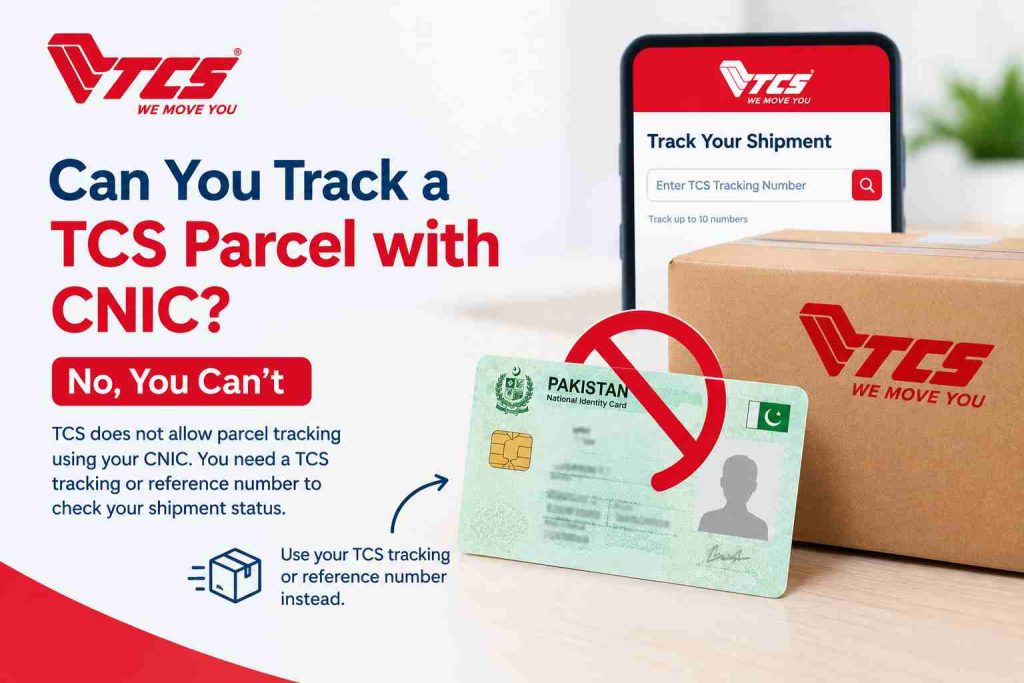
Don’t assume a CNIC or phone number will pull up a shipment on a public tracker; that isn’t confirmed as a general online option on TCS’s customer-service page.
Can you track TCS by QR code?
Not reliably by scanning it yourself. Barcodes and QR codes on a slip or label are there so TCS staff can scan the shipment during handling. Scanning one with your phone may show only a string of digits or text, not a tracking page.
The dependable method is the human-readable CN number. If a scan does reveal digits, check they match the CN field, then enter that number in a tracker. Some sellers print their own QR codes linking to an order page; that’s a seller feature, not a TCS tracking method.
Common mistakes when finding a TCS tracking number
Using an order number. Store order IDs often look official but aren’t TCS identifiers.
Using a payment or reference number. Invoice, COD or transaction references won’t return a tracking result.
Copying an incomplete number. Faded print or a folded slip can hide the first or last digit. Compare against the barcode digits.
Relying only on digit count. Because published length claims conflict, a number that “looks the right length” can still be the wrong field.
Adding extra characters. Spaces, dashes, “CN” prefixes or a trailing full stop can break the search.
Assuming a non-working number means fraud. Most failures are typos, the wrong field or a shipment that hasn’t been scanned yet. Check those first.
Does a TCS tracking number prove that a parcel was sent?
No, not on its own. A tracking number is an identifier. A photo or screenshot of a slip shows that a number exists on paper; it doesn’t independently show that TCS received a parcel.
This matters in online buying and selling, where people sometimes share receipt photos as proof of dispatch, and users in community forums have raised concerns about receipts that don’t match real shipments. Most shared receipts are genuine, so don’t accuse anyone based on a slow update. Instead, verify: enter the CN in an official TCS tracking channel and check that the status, origin, destination and booking date match what you were told. If details conflict or nothing appears after a reasonable wait, ask the sender for clarification and contact TCS with the number.
Frequently asked questions
Where is TCS tracking number written on the slip?
In the field labelled CN, Consignment No., Tracking No. or Airway Bill, usually in the upper tracking section and next to the barcode. Layouts vary, so go by the label.
Is the TCS CN number the same as the tracking number?
Yes. TCS treats the tracking number, consignment note number and airway bill number as the shipment identifier used for tracking.
What does CN mean in TCS?
Consignment Number, the number of the consignment note created when TCS books a shipment.
How many digits does a TCS tracking number have?
TCS’s customer-service page doesn’t state a fixed length, and third-party sites give conflicting figures. Identify the number by its label and barcode, not by length.
Where is the TCS tracking number on the receipt?
Next to the CN or tracking label, typically near the top and beside the barcode.
Can I track TCS using the CN number?
Yes. Enter the CN on TCS’s official tracking page or a tracking tool to see status from pickup to delivery.
What should I do if my TCS tracking number is not working?
Re-enter it carefully, confirm you copied the CN field, allow time for the first scan, retry later, then confirm the number with the sender or TCS.
Can I find my TCS tracking number without the receipt?
Check with the sender, look in SMS and email notifications, or view your online order’s shipment details. TCS customer service may help with booking details.
Can I track a TCS parcel using the QR code?
Not dependably. The codes are meant for TCS scanning. Use the printed CN number instead.
Which number on a TCS slip should I enter for tracking?
The CN / Consignment / Tracking / Airway Bill number, which normally matches the digits printed beside the barcode.
Conclusion
Find the field labelled CN, Consignment, Tracking or Airway Bill, check it against the digits beside the barcode, and ignore order, payment and phone numbers. Don’t use length as your test. If you already have your CN number, you can enter it in the TCS tracking tool on tcstrack.com, an independent tracking site, to check your shipment’s current status.