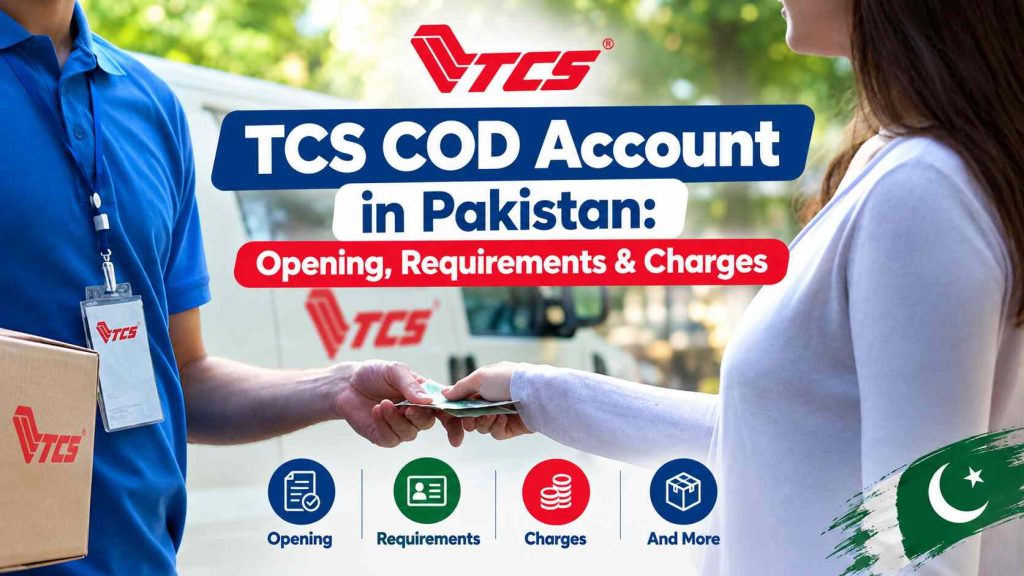
A TCS COD account lets a seller ship parcels on cash on delivery: the buyer pays the TCS rider at the door, and TCS passes the money back to the seller after deducting its charges.
In 2026, TCS runs two main routes to this. The first is Retail COD (R-COD), which TCS describes as built for small businesses, home-based sellers, retailers and startups that want shipping without bulk commitments, with an account you can create at any TCS Express Centre and no subscriptions, hidden fees or minimum shipments. The second is TCS’s e-commerce setup, where sellers book orders through the Envio portal or an API and track payouts per parcel.
TCS doesn’t publish a single COD fee that applies to every seller. Any percentage you see quoted online, including on this kind of page, should be checked against the tariff TCS gives you before you open an account.
Quick answer:
- Getting enough orders that booking at the counter is slowing you down, or running a Shopify or WooCommerce store? Ask TCS about an e-commerce account with Envio access.
- Selling a few parcels a week from home or a shop? Start with Retail COD at your nearest Express Centre.
What a TCS COD account actually does
A TCS COD account is an arrangement that allows a seller to send products through TCS and collect payment from the buyer when the parcel is delivered.
TCS Cash on delivery involves three parties. The seller hands over the parcel with a COD amount written on the booking. TCS delivers it and collects that amount from the buyer. TCS then records the collection against the parcel’s consignment number (CN) and pays the seller later, minus courier charges and any COD-related fee in the seller’s arrangement.
A simple example: a seller in Faisalabad books a Rs. 3,000 order to Multan. The buyer pays Rs. 3,000 to the rider. TCS marks the CN as delivered and the COD as collected. The seller receives Rs. 3,000 minus whatever charges apply to that shipment, on the payment cycle attached to their account.
The “account” is what ties your parcels, your collections and your payout details together so TCS knows whose money it’s holding.
For an online business, COD can remove one of the biggest barriers to buying online: the customer does not have to make an advance payment before receiving the parcel.
TCS currently lists Retail Cash on Delivery as a service for small businesses, home-based sellers, retailers and startups. The company says R-COD has no minimum shipment requirement or subscription and that an account can be created at a TCS Express Centre.
Does Every Seller Need a TCS Cash on Delivery Account?
No. It depends on how often you ship.
Occasional sellers. TCS has offered a no-account route before. In November 2022 it promoted COD+ as requiring no TCS account and no bank account, aimed at home and small businesses: you take the product to an Express Centre, and after delivery you collect the cash from the same centre. TCS’s current website talks about Retail COD rather than COD+, so ask at the centre whether COD+ is still offered under that name.
Small and home-based sellers shipping regularly. Retail COD fits here. TCS says it comes with no complicated account requirements, and there’s no minimum shipment volume.
Growing online stores. Once you’re booking dozens of parcels a week, pickup scheduling, bulk booking and per-parcel payout records start to matter. That’s what TCS’s e-commerce tools are for.
This matters because some guides still claim TCS prefers sellers with a minimum number of monthly shipments. TCS’s current Retail COD page says the opposite.
TCS Retail COD vs E-Commerce COD Solutions
| Feature | Retail COD | E-commerce/COD solutions |
|---|---|---|
| Intended users | Small businesses, home-based sellers, retailers and startups | Online businesses with broader shipping needs |
| Minimum shipments | TCS currently says no minimum | Depends on the applicable arrangement |
| Subscription | TCS currently says none for R-COD | Depends on the service |
| Account setup | TCS Express Centre | Contact/setup through the relevant TCS business service |
| Shipment booking | Available under the applicable service | Online tools and e-commerce systems available |
| Tracking | Available for shipments | Online Tracking and shipment management tools |
| Returns | Subject to applicable service terms | TCS offers return-related e-commerce services |
| API/integration | Not necessarily required | Available for supported e-commerce workflows |
The Envio side is well documented. TCS describes Envio as a one-window tool for booking and online tracking multiple shipments at once, creating location-wise cost centres, offering multiple pickup and delivery options, logging complaints and handling return logistics.
TCS COD Account Opening Requirements
The company doesn’t publish a document checklist for either route. Here’s what’s confirmed and what’s only reported.
| Requirement | Who may need it | Status | Notes |
|---|---|---|---|
| CNIC | Almost everyone | Commonly reported, not published by TCS | Bring the original and a copy |
| Bank account details | Sellers paid by bank transfer | Commonly reported | TCS’s 2022 COD+ offer didn’t need one |
| NTN / business registration | Registered businesses | Reported as “if applicable” | Not confirmed as mandatory for individuals |
| Security cheque or stamp paper undertaking | Some business accounts | Third-party claim only | Ask TCS directly; don’t assume |
| Pickup and return address | E-commerce accounts | Confirmed by TCS API guide | Each cost centre stores both |
| Store/website link, product type, expected volume | E-commerce accounts | Commonly asked | Helps TCS set your tariff |
The pickup and return address detail comes from TCS’s own documentation. In the TCS API user guide, creating a cost centre requires a cost centre name and code, a pickup address, a return address and the TCS account number.
One third-party guide says the walk-in route involves a CNIC, a bank cheque or letter, NTN or letterhead if applicable, and possibly a stamp paper undertaking. Treat that as a checklist to prepare, not as TCS policy. Two practical rules help regardless of route: the name on your CNIC and your bank account should match, and the phone number you give should be one you’ll answer, since verification is usually done by call.
How to Open a TCS COD Account
For sellers interested in Retail COD, TCS currently says an account can be created at a TCS Express Centre. It also describes the service as having no subscription and no minimum shipment requirement.
A practical account-opening process is:
- Pick the route. Low or irregular volume: Retail COD. Regular online orders or a store integration: e-commerce account.
- For Retail COD, visit an Express Centre. TCS lists 1,000+ Express Centres. Take your CNIC, bank details and the parcel you want to ship.
- For an e-commerce account, contact TCS first. TCS has directed sellers wanting a COD account for an online store to call (021)-111-123-456. Ask for the e-commerce/COD team, not general tracking support.
- Submit what TCS asks for and get your tariff in writing: base courier charge by weight and zone, any COD fee, return charges, and the payment cycle.
- Receive credentials (e-commerce route). These are your TCS Envio login and account number.
- Set up a cost centre with your pickup and return address before your first booking.
- Book and ship a test order to yourself or a friend in another city, and follow it through to payout before you scale up.
TCS COD Account Login: Which Portal Do Sellers Use?
“TCS Cash on Delivery login” can mean three different things.
Envio. This is TCS’s current merchant portal. Its sign-in page is at envio.tcscourier.com and carries TCS’s own “a TRANZUM enterprise” footer. Envio credentials are also what TCS uses to generate API access tokens for some account functions.
The COD Booking Portal. TCS’s plugin documentation tells Shopify users that their E-Connect API key and password are the same username and password used for the COD Booking portal, and that cost centre codes can be found there. This page appears to predate Envio. Use whichever login URL TCS sends you with your credentials.
API and developer credentials. Building your own integration needs separate access. TCS’s API guide says production access requires completing the UAT test phase first, and approval takes at least three working days.
For forgotten passwords, use the reset link on the portal TCS gave you, or contact your TCS account contact. Don’t reset through a third-party “TCS login guide” site.
How to Book a TCS COD Shipment
The exact booking screen depends on the service or portal, but the general workflow is straightforward.
A seller normally needs to provide information such as:
- Customer name
- Customer phone number
- Delivery address
- City
- COD amount
- Parcel details
- Sender information
For supported e-commerce integrations, TCS provides tools that can transfer online COD order information to its E-retail portal and generate shipping labels.
For example, TCS’s Shopify documentation says its E-Connect app can send shipping details for online COD orders to the TCS E-retail portal and receive shipping labels in HTML or PDF format.
After booking, the seller should keep the TCS online tracking or consignment number associated with the shipment.
How TCS Tracking Works for COD Orders
Online tracking tells you where the parcel is. It doesn’t tell you whether your money has been paid out. Those are two separate records at TCS.
A parcel marked “Delivered” means the buyer took it and, for COD, paid the rider. The payout happens later, in a batch. TCS’s own API makes this split visible: its payment status record for a single CN holds a payment status, amount paid, delivery charges, delivery date and a separate payment date. A delivered parcel can show payment status “N” with no payment date yet.
For what each tracking status means on a COD parcel, see the TCS COD tracking guide. You can check any CN on the TCS tracking tool.
TCS Cash on Delivery Account Charges and Rates
This is one area where sellers should be careful with information published on third-party websites.
There is not enough current official evidence to state that every TCS COD account is charged a universal 1% fee or a universal minimum COD fee.
TCS currently refers to an applicable Retail-COD tariff, and its public pages have also advertised temporary promotional discounts on that tariff. For example, TCS’s current website references a limited Independence Day promotion under which eligible Retail COD customers could pay 79% of the applicable tariff.
Potential costs can include:
| Cost | What it means |
|---|---|
| Shipping charge | Cost of transporting the parcel |
| COD-related charge | Applicable charge for the cash-collection service |
| Weight-related charge | May vary according to shipment weight/service |
| Destination-related charge | Can depend on the delivery location and service |
| Return charge | May apply when a shipment is returned |
| Additional services | May apply depending on selected services |
| Promotional pricing | Temporary offers may change the amount payable |
For a business COD account, the seller should ask TCS for the current applicable tariff or commercial quotation instead of relying on a generic rate published online.
Why TCS COD Rates Can Differ
A seller’s cost may depend on factors such as:
- type of Cash on Delivery service
- shipment weight
- origin
- destination
- delivery service rates
- return handling
- account arrangement
- business volume
- promotional offers
- additional services
This is why a rate quoted to one merchant should not automatically be treated as a universal TCS rate.
How TCS COD Settlement Works
COD settlement is the process through which the seller receives the money collected from successful COD deliveries.
The basic flow is:
1. Seller ships the order
The parcel is booked as a COD shipment.
2. TCS delivers the parcel
The customer receives the shipment and pays the applicable COD amount.
3. TCS records the collection
The payment becomes part of the seller’s COD records.
4. Applicable charges are processed
Any applicable shipping, COD or other charges are handled according to the seller’s arrangement.
5. Seller receives the settlement
The seller receives the amount according to the applicable payment process and account terms.
Do not assume that every TCS seller receives payment after the same number of days.
Some online discussions report different settlement experiences, including one 2024 discussion where users mentioned several days after delivery. Those comments are user experiences rather than official TCS payment terms.
A seller should therefore confirm the settlement cycle directly with TCS when opening the account.
What Happens If a Customer Refuses a COD Parcel?
A COD order can fail if the customer:
- refuses to accept it
- is unavailable
- provides an incorrect address
- cannot be contacted
- changes their mind
In these situations, the parcel may be returned according to the applicable TCS service and return shipment Terms & Conditions.
The seller should account for potential return costs when calculating the actual profitability of COD orders.
For example, if a product has a small profit margin, repeated refused deliveries can turn apparently profitable orders into losses.
This is why online stores often monitor:
- delivery rate
- return-to-origin rate
- average shipping cost
- COD collection
- returned inventory
- customer confirmation
Can a Home-Based Seller Use TCS COD?
Yes, TCS currently specifically markets Retail COD toward home-based sellers, along with small businesses, retailers and startups. TCS says the service has no minimum shipment requirement and no subscription.
This makes the service relevant to sellers who may operate from home rather than from a large registered commercial office.
However, the seller should still confirm the current account requirements and applicable commercial terms before starting regular shipments.
TCS COD for Shopify and Online Stores
TCS provides e-commerce integrations for supported online stores.
Its official Shopify documentation says the E-Connect by TCS app can connect a Shopify store to the TCS E-retail portal. The integration can send COD order details to TCS and receive shipping labels in HTML or PDF format.
TCS also documents a Magento integration for its E-Connect COD system. The Magento integration can transfer online orders to the TCS E-retail portal and support label generation.
For an online store, this can reduce manual work because the seller does not necessarily have to enter every order into the courier system from scratch.
What Is TCS Envio?
Envio is a TCS tool designed for online business shipping operations.
TCS describes it as a one-window solution that can handle activities such as:
- booking multiple shipments
- tracking shipments
- creating location-based cost centres
- pickup and delivery options
- complaints
- return logistics
This makes Envio more relevant to businesses with regular e-commerce shipping requirements than to someone simply sending an occasional personal parcel.
Common TCS COD Account Problems
Login does not work
Check that the seller is using the correct portal and credentials provided for the account.
Do not assume that a Retail COD account and an e-commerce portal account use the same login.
Shipment is not appearing
Check the tracking or consignment number and confirm that the shipment was successfully booked.
Tracking has not updated
A tracking record may take time to update after booking or movement between facilities. If the status remains unchanged for an unusual period, contact TCS through its support channels.
Delivered order has not appeared in settlement records
Keep the order number, tracking number and COD amount together. Compare the delivery record with the seller’s settlement information.
Customer refused the parcel
Check the shipment status and return process. The seller should also record the order as returned in its own store/accounting system.
Charges are different from an online article
This can happen because tariffs, promotions and account arrangements can change. Ask TCS for the current tariff applicable to the seller’s account instead of relying on an old rate.
How Sellers Can Keep Better COD Records
A simple spreadsheet can make COD reconciliation much easier.
Useful columns include:
| Field | Example |
|---|---|
| Order number | ORD-1045 |
| Customer | Ali |
| TCS tracking number | CN number |
| COD amount | Rs. 4,000 |
| Booking date | 25 Sep 2026 |
| Delivery status | Delivered |
| Delivery date | 28 Sep 2026 |
| Return status | No |
| Expected settlement | According to account terms |
| Actual settlement | Amount received |
| Difference | Any outstanding amount |
This helps identify missing settlements, returned parcels, incorrect COD amounts and unexpected deductions.
TCS COD Account: Key Points to Remember
- TCS currently offers Retail COD for small businesses, home-based sellers, retailers and startups.
- TCS says Retail COD has no minimum shipment requirement and no subscription.
- Retail COD accounts can currently be created at TCS Express Centres.
- TCS also offers broader e-commerce solutions for online businesses.
- Envio provides tools for booking, tracking, cost centres, complaints and returns.
- TCS provides e-commerce integrations for platforms such as Shopify and Magento.
- There is no reliable basis for presenting one universal TCS COD fee to every seller.
- COD tracking and COD payment settlement are separate parts of the process.
- Sellers should keep their TCS tracking numbers and COD records for reconciliation.
[rtrs_faqpage]
Final Thoughts
A TCS COD Account can be useful for Pakistani sellers who want customers to pay when their orders arrive. The important point is that TCS COD is not necessarily one single account type with one universal price and one identical process for every seller.
TCS currently offers Retail COD for smaller sellers and home-based businesses, while its E-com Solutions provide broader tools for online businesses that need shipment management, tracking, returns and integrations.
Before opening an account, sellers should confirm the service type, required documents, current tariff, return charges, settlement process and login system directly with TCS. That approach gives the seller a much clearer picture of the actual cost and workflow than relying on an old third-party rate table.
For sellers already shipping COD orders through TCS, keeping the TCS tracking number, order value, delivery status and settlement amount in one record can also make daily order management much easier.